How to remove makeup from a photo online
To remove makeup from a photo, upload it to NoMakeupAI. Google's Nano Banana 2.1 image model takes off foundation, contour, eye makeup, brow fill and lip color, and leaves the face, pose, lighting and background as they were. You get the result back at the same size and crop in about 30 seconds. The first photo is free.
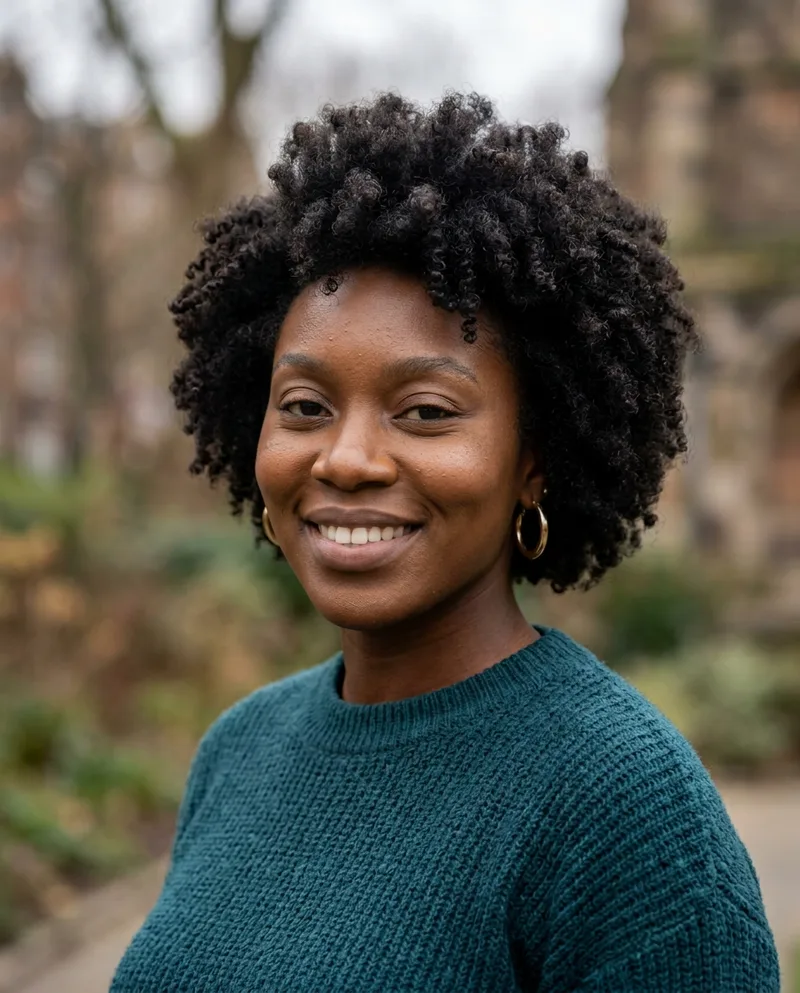
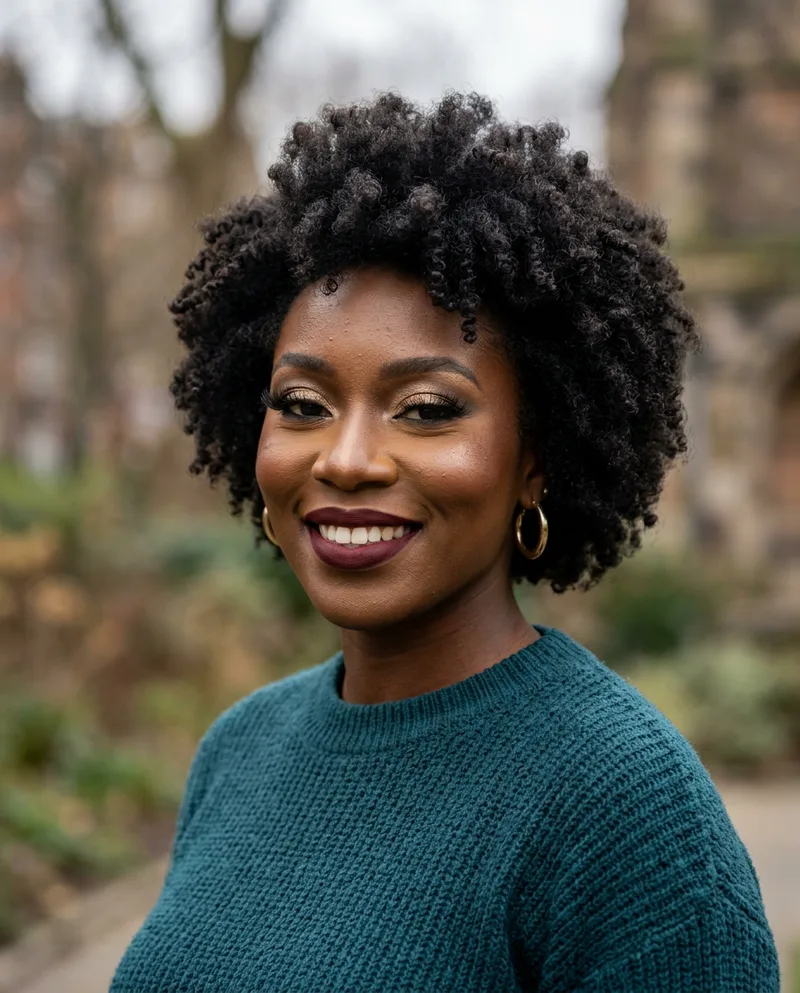 BeforeAfter
Try it freeFirst reveal free, no card needed.
Step by step
- Create a free account with your email or Google.
- Upload a JPG, PNG or WebP photo, or a photo straight from your iPhone.
- Wait about 30 seconds while the model edits the face.
- Drag the slider to compare, then download the result.
What gets removed
Everything that sits on the skin or fakes it:
- Foundation, concealer and powder
- Blush, bronzer, contour and highlighter
- Eyeshadow, eyeliner, false lashes and mascara
- Brow pencil, powder and tint
- Lip liner, lipstick and gloss
- Beauty-filter skin smoothing
What stays the same
The edit only touches makeup. These are told to stay exactly as they are:
- Face shape and skin tone
- Eyes, nose, lips and jaw
- Expression, pose and crop
- Lighting, background and focus
- Hair, clothes and jewelry
Tips for a better result
- Use the sharpest copy of the photo you have. Screenshots of screenshots lose skin detail the model needs.
- Pick a photo where the face is large and facing the camera.
- Crop out other people if you only care about one face.
- Heavy beauty filters flatten the skin, so the model has less to work from. Expect a softer estimate.
Questions
- How does NoMakeupAI remove makeup from a photo?
- You upload a photo and we send it to Google's Nano Banana 2.1 image model with one instruction: take the makeup off and change nothing else. The result comes back at the same size and crop as your upload, usually in about 30 seconds.
- Does the result show what the person really looks like?
- It's a close estimate, not a photograph. The model removes makeup and filter smoothing, then fills in the skin it predicts was underneath. Anything the makeup hid completely, like a scar or a tattoo, can't come back.
- What kind of photo works best?
- A sharp photo where the face fills a good part of the frame. Selfies, portraits and dating-profile photos all work. Tiny, blurry or side-on faces give weaker results.
- Is it free?
- Your first reveal is free and you don't need a card. After that you can make one more watermarked preview, or buy credits: 5 for $5, 15 for $10 or 40 for $20. One credit is one photo. Credits never expire and there's no subscription.