No makeup filter for photos: how it works and what to expect
A no makeup filter should take the makeup off a photo and leave everything else alone. NoMakeupAI works that way: upload a photo and it returns the same shot at the same size and crop, without foundation, lashes or lipstick, in about 20 seconds. Your first photo is free, with no card.
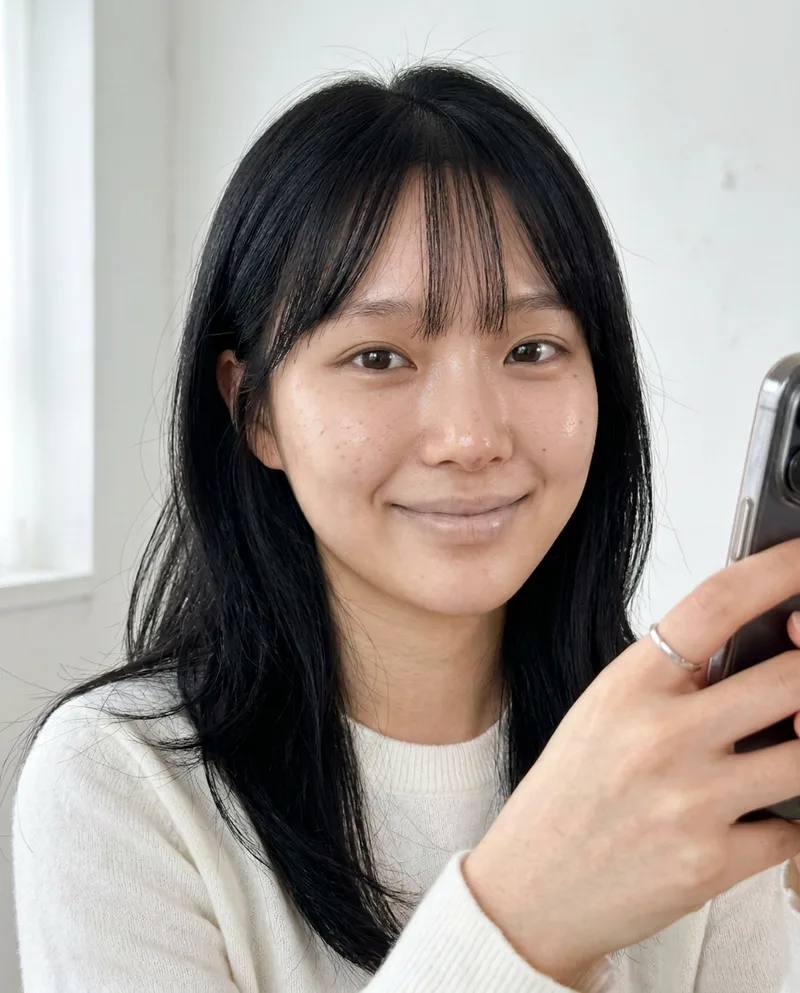
 BeforeAfter
Try it freeFirst reveal free, no card needed.
What a no makeup filter changes
It strips the products that sit on the skin or fake it:
- Foundation, concealer and powder
- Blush, bronzer, contour and highlighter
- Eyeshadow, eyeliner, false lashes and mascara
- Brow pencil, powder and tint
- Lip liner, lipstick and gloss
- Beauty-filter skin smoothing
What it should leave alone
A good result still looks like the same photo of the same person:
- Face shape and skin tone
- Eyes, nose, lips and jaw
- Expression, pose and crop
- Lighting, background and focus
- Hair, clothes and jewelry
No makeup filter vs beauty filter
A beauty filter adds smoothing, brightening and reshaping. A no makeup filter goes the other way and takes the makeup and the smoothing off. If a photo has neither, it should come back almost unchanged.
How to get a believable result
- Start from the sharpest copy of the photo, with the face large and facing the camera.
- Expect an estimate, not a photograph. The model fills in the skin it predicts was underneath.
- Use your own photos, or ones you have permission to edit.
Questions
- How does NoMakeupAI remove makeup from a photo?
- You upload a photo and we send it to Google's Nano Banana 2.1 image model with one instruction: take the makeup off and change nothing else. The result comes back at the same size and crop as your upload, usually in about 20 seconds.
- Does the result show what the person really looks like?
- It's a close estimate, not a photograph. The model removes makeup and filter smoothing, then fills in the skin it predicts was underneath. Anything the makeup hid completely, like a scar or a tattoo, can't come back.
- Can I use it on someone else's photo?
- For your own private curiosity, yes. Never to mock, shame or harass anyone. Our Terms ban that and we close accounts that do it.
- Is it free?
- Your first reveal is free and you don't need a card. After that you can make one more watermarked preview, or buy credits: 5 for $5, 15 for $10 or 40 for $20. One credit is one photo. Credits never expire and there's no subscription.